Why Google Isn’t Spending Your Google Ads Budget (and How to Fix It)
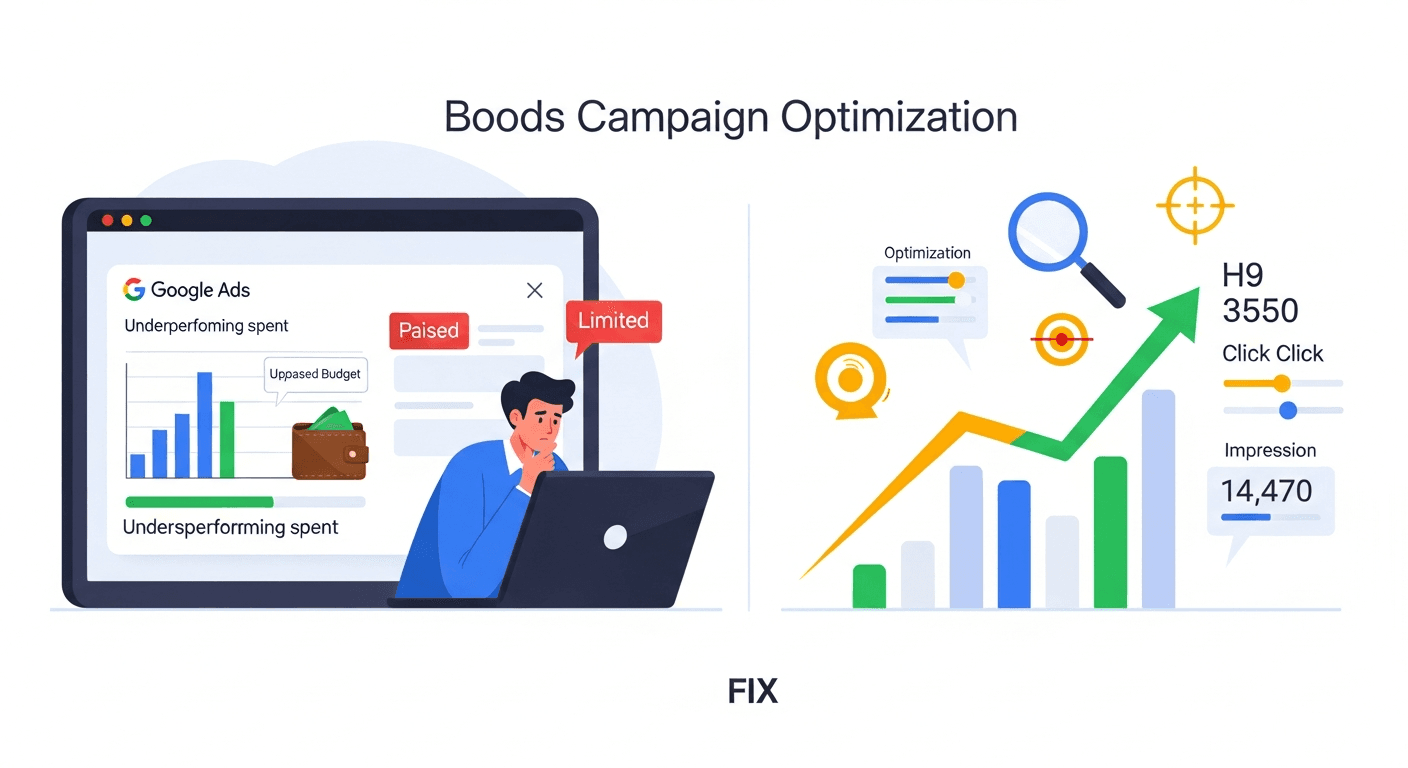
Why Google Isn’t Spending Your Google Ads Budget (and How to Fix It)
Many advertisers assume that if a daily budget is set in Google Ads, Google will automatically spend it. In reality, Google Ads often underspends, even when demand exists and the account appears healthy. Understanding exactly why spend is limited, where controls live, and what data is visible is essential before attempting to scale campaigns profitably.
Why Google Ads Underspends Even When Your Budget Looks High
Google Ads does not guarantee that your full daily budget will be spent. The platform only enters your ads into auctions when it predicts a viable chance to get impressions or clicks that align with your bidding strategy and other constraints. If your settings are too restrictive or your bids are not competitive, your budget simply remains unused.
In practice, underspending usually points to a bottleneck in one of a few core areas:
Targeting that is too narrow or restrictive
Bidding targets or bid limits that block auctions
Low Ad Rank caused by weak ads or landing pages
Negative keyword conflicts and policy disapprovals
Billing issues, account limits, or blocked payment methods
Conversion tracking problems that starve Smart Bidding
For Shopping and Performance Max, feed and product issues
The sections below walk through a structured diagnostic process in Google Ads, with specific configuration checks and conditional recommendations to restore spend responsibly.
Step 1: Confirm What Is Actually Limiting Spend
Before changing bids or budgets, it is essential to identify whether your Google Ads campaigns are constrained by budget, rank, or eligibility. This diagnosis is done primarily in three places: campaign and ad statuses, impression share metrics, and conversion volume trends.
What is Google Ads Search lost impression share due to rank?
Search lost impression share due to rank is a Google Ads metric that estimates the percentage of auctions you missed because your Ad Rank was not high enough. It only applies where your ads were eligible to compete and is based on available auction data, so it is directional rather than perfectly precise and does not show individual auction details.
Check campaign and ad statuses for obvious blocking issues
In the Google Ads interface, start on the Campaigns and Ads tabs and review the Status column. Look for any of the following:
Limited by budget: Campaign is eligible but budget is capping impressions. This is not an underspend problem and usually indicates demand is higher than budget.
Eligible with low impressions: Campaign is active but not entering many auctions, usually due to targeting or low bids.
Paused or Removed: Campaigns, ad groups, or ads are simply not running.
Disapproved or Limited: Ads or assets are restricted due to policy, which can drastically reduce eligible inventory.
Also use the Policy Manager and Recommendations pages to surface disapprovals or account-level issues that might quietly restrict delivery.
How does Google Ads campaign status affect budget spend?
Google Ads campaign status directly controls whether your budget can be used, because only campaigns with Eligible or Limited statuses can enter auctions. Paused, Removed, or Disapproved entities fully block spend at their level, but status indicators do not explain profitability or incrementality, so they must be combined with performance metrics before you decide to increase budgets.
Use impression share to separate rank problems from budget problems
On the Campaigns tab, customize columns to add:
Search impr. share or Display impr. share
Search lost IS (rank)
Search lost IS (budget)
While these metrics are estimates, they provide directional clarity:
High lost IS (budget), low lost IS (rank): You are primarily budget constrained. Increasing budget can unlock more volume if unit economics are acceptable.
High lost IS (rank), low lost IS (budget): Bids, Ad Rank, or quality are limiting auctions. Increasing budgets alone will not fix underspend.
Low overall impression share: Targeting may be too narrow, or bids and quality are not competitive for the available queries.
How does impression share help diagnose low Google Ads spend?
Impression share in Google Ads helps diagnose low spend by estimating how often your ads appeared relative to total eligible auctions, which indicates whether limits come from budget or Ad Rank. The metric is sampled and aggregated, so it does not show every auction and should not be treated as exact, but it is reliable enough to guide directional decisions.
Check conversion volume to understand Smart Bidding behavior
For campaigns using Smart Bidding strategies such as Target CPA or Target ROAS, insufficient and inconsistent conversion data is a frequent cause of underspend. If Google Ads sees very few recent conversions, the system becomes conservative and may skip many auctions to stay within target constraints.
Use the Campaigns and Tools & Settings > Conversions sections to check:
How many conversions each bid strategy is optimizing to in the last 30 days
Whether multiple campaigns share a single bid strategy with limited conversions
Whether counted conversions match actual business outcomes
What is the minimum conversion volume for effective Smart Bidding?
Smart Bidding in Google Ads usually requires at least 15 to 30 conversions in the last 30 days per bid strategy to learn effectively, but more volume improves stability. This guideline is not a strict technical requirement, and Google can run with fewer conversions, but performance will be more volatile and automated decisions less reliable.
Step 2: Diagnose Targeting That Is Too Narrow
Targeting constraints are the most common and often the fastest fix for Google Ads underspend. In practice, multiple layers often stack together: exact match only keywords, narrow geographies, limited schedules, restrictive audiences, and aggressive exclusions. Each layer reduces eligible impressions and can cut off scale even when budgets are high.
Audit keyword match types and search terms
For Search campaigns, focus first on match types:
If most keywords are exact match and traffic is low, you are confined to a small set of queries.
Phrase and broad match allow more variation and related queries, at the cost of more noise.
Review the Search terms report to understand what Google Ads can match you to and whether there is broader relevant demand you are not capturing.
When should you use broad match keywords in Google Ads?
Broad match keywords in Google Ads work best when conversion tracking is accurate, Smart Bidding is enabled, and budgets support testing across varied queries. Broad match is less effective if your negative keyword lists are weak or your account has low historical conversion volume, because Google then has limited signals to filter out irrelevant traffic.
Assess geographic targeting width
In Locations settings, check whether you are only targeting very specific cities or small radiuses. For example, a campaign limited to a 5 kilometer radius around a single office may never spend a 500 dollar daily budget for a niche B2B service, even if national demand is high.
Also verify the presence or absence of excluded locations. Overlapping inclusions and exclusions can silently restrict large regions.
How does location targeting impact Google Ads budget usage?
Location targeting in Google Ads controls which geographic auctions your ads can enter, so narrow or highly excluded locations directly reduce possible spend. The setting only applies to eligible users as Google detects them and does not guarantee reach within the selected area, especially if user location signals are weak or conflict with your chosen presence intent options.
Review ad schedules and device targeting
Ad schedules and device bid adjustments can be helpful for efficiency but can also block delivery if stacked too aggressively. For example:
Running only Monday to Friday, 10 AM to 2 PM local time, for a low volume niche keyword often guarantees underspend.
Setting large negative bid adjustments on mobile while most traffic is mobile can remove most impressions.
Relax these constraints first rather than pushing budget higher.
Is tight ad scheduling suitable for low volume Google Ads campaigns?
Tight ad scheduling is only suitable for low volume Google Ads campaigns when historical data clearly shows profitable windows and the business can accept limited reach. It is not recommended when you lack time of day data or when conversion volume is already sparse, because further restricting hours can prevent Smart Bidding from finding incremental conversions.
Step 3: Fix Bids, Smart Bidding Targets, and Ad Rank
If targeting is broad enough and policy issues are cleared, the next likely bottleneck is that your bids or Ad Rank are not competitive in the auctions you want to win. Google Ads will not spend your budget if your bids are consistently losing to competitors or if your bid strategy is constrained by unrealistic CPA or ROAS targets.
Evaluate your bidding strategy in context
In the Settings and Campaigns views, confirm which bidding strategy is used:
Manual CPC or Enhanced CPC
Maximize clicks
Maximize conversions or Maximize conversion value
Target CPA or Target ROAS
Then compare your targets to actual performance:
If your average CPA is 80 dollars but Target CPA is set to 40 dollars, Google Ads will often limit auctions to pursue an outcome that is not currently realistic.
If your Target ROAS is 800 percent for a market where average is 300 percent, the system may not find enough eligible impressions to hit that standard.
What is Target CPA bidding in Google Ads?
Target CPA bidding in Google Ads is a Smart Bidding strategy where Google automatically sets bids to try to achieve an average cost per acquisition equal to your specified target. It optimizes based on tracked conversions only, not offline or untracked outcomes, so its effectiveness is limited if conversion tracking is inaccurate or incomplete.
Adjust overly aggressive CPA or ROAS targets
When underspend is driven by aggressive targets, adjust gradually rather than making extreme changes. For example:
Move Target CPA from 40 dollars to 60 dollars, observe for 7 to 14 days, then fine tune further.
Reduce Target ROAS from 800 percent to 400 percent, monitor impression share and volume, and then optimize structure and creatives before tightening again.
In practice, relaxing targets is often the fastest way to restore volume, but must be paired with strict profitability monitoring.
How does lowering Target ROAS affect Google Ads performance?
Lowering Target ROAS in Google Ads generally allows the system to bid more aggressively in auctions, which can increase impressions and conversions while tolerating higher cost per conversion. The approach assumes your margins can handle a lower return, and results may be unstable during learning periods, so changes should be monitored against lifetime value, not just short term revenue.
Raise manual bids where competition is strong
For Manual CPC campaigns, compare your average CPC to first page and top of page bid estimates. If your bids are consistently below those thresholds, you may rarely appear. Start by raising bids on your highest intent, highest value keywords while watching cost per conversion closely.
At the same time, use bid adjustments sparingly. Stacking heavy negative adjustments for devices, audiences, and locations can undo your base bid increases.
Strengthen Ad Rank with better ads and landing pages
Ad Rank is determined by your bid, ad quality, expected impact of ad extensions, and other auction time signals. To improve it without solely relying on higher bids:
Write more specific headlines that match user intent and primary keywords.
Use all available assets such as sitelinks, callouts, structured snippets, and image extensions.
Align landing page content, speed, and mobile experience with the search terms and ad promises.
What is Ad Rank in Google Ads?
Ad Rank in Google Ads is the value used to determine your ad position and eligibility, calculated from your bid, ad quality, landing page experience, and expected impact of assets and formats. It is not directly exposed as a single number, and only some contributing factors are visible in reports, so it can be optimized but not precisely measured.
Step 4: Resolve Negative Keyword Conflicts and Policy Issues
Negative keywords and policy restrictions can significantly reduce your eligible inventory, sometimes without obvious warning. While both are important for control and compliance, they must be maintained carefully to avoid unintentional blocking of valuable traffic.
Audit negative keyword lists for overly aggressive exclusions
In Keywords > Negative keywords, review:
Account level lists applied to many or all campaigns
Campaign and ad group specific negatives
Look for exact match negatives that block core queries or broad match negatives that unintentionally filter high intent searches. For example, excluding the word “cheap” at a global level might be reasonable for premium brands but harmful for cost conscious segments.
How do negative keywords impact Google Ads delivery?
Negative keywords in Google Ads prevent your ads from showing on queries that contain specified terms, which improves efficiency but also reduces potential impressions. They only apply to Search and some Shopping traffic, not most display placements, and their effects can be hard to detect without reviewing search terms, so periodic audits are necessary.
Check for disapprovals and limited eligibility
Use the Policy Manager in Tools & Settings to identify:
Disapproved ads, assets, or extensions
Limited or restricted eligibility for sensitive categories
Account level warnings or strikes
Some disapprovals only affect individual ad variants, while others restrict entire topics or legal jurisdictions. Google Ads surfaces basic policy labels but does not reveal all underlying rule triggers, so resolution sometimes requires iteration and support tickets.
Is Google Ads policy review fully transparent?
Google Ads policy review is not fully transparent, because while you can see disapproval reasons and policy labels, you cannot see complete internal scoring details or rule thresholds. The system uses automated and manual checks, and appeals can reverse decisions, so advertisers must rely on visible summaries and support channels for resolution rather than detailed rule logic.
Step 5: Fix Billing, Payment, and Account Limits
Even well built campaigns will not spend if Google Ads cannot charge your payment method or if account limits are hit. These issues are visible but often overlooked because they appear outside normal optimization workflows.
Verify billing settings and payment methods
In Billing > Settings, confirm:
An active, valid primary payment method is attached.
No recent payment failures or declined charges are listed in the Summary.
Any backup payment method is correctly configured.
When payments fail, Google Ads may place the account on hold, which stops all spend until the issue is resolved, regardless of campaign budgets or bids.
What happens when a Google Ads payment fails?
When a Google Ads payment fails, Google typically pauses ad delivery by placing the account on a payment hold until the outstanding balance is successfully charged. This state blocks all campaign spend but does not modify your settings, so campaigns can resume automatically once billing is corrected, although there may be a short reactivation delay.
Watch for account spend thresholds and credit limits
Some accounts, especially those on monthly invoicing or using credit lines, have spend thresholds or credit limits. When those are reached:
Google may stop serving ads until the threshold is increased or payment is made.
You will see notifications in the Billing area but not necessarily in each campaign.
These controls sit outside daily budgets and can surprise teams that focus solely on campaign settings.
Step 6: Repair Conversion Tracking to Support Smart Bidding
Smart Bidding strategies such as Target CPA and Target ROAS rely on accurate, timely conversion data. If conversions are undercounted, misaligned with revenue, or delayed, Google Ads will often reduce bids and limit spend to avoid perceived risk.
Audit which conversions are used for bidding
In Tools & Settings > Conversions, inspect each conversion action:
Check whether it is set to “Primary” and included in “Conversions” metrics.
Confirm attribution model, value settings, and counting type.
Ensure high value offline or CRM conversions are either imported or accounted for in optimization logic.
Only Primary conversions included in Conversions are used for most Smart Bidding decisions, so misclassified actions can undermine performance.
What is a Primary conversion action in Google Ads?
A Primary conversion action in Google Ads is a conversion type that is included in the Conversions column and is typically used by Smart Bidding strategies for optimization. Secondary actions are tracked but excluded from bidding by default, which means they offer reporting visibility without directly influencing automated bid adjustments.
Test and validate tracking implementation
Use Google Tag Manager, Google Tag Assistant, or browser developer tools to verify:
Conversion tags fire exactly once per true conversion.
Values passed for purchase events match actual order values within acceptable tolerance.
Cross domain tracking is configured when checkouts occur on a different domain.
Inaccurate or incomplete tracking leads Smart Bidding to misjudge which auctions are valuable, which can significantly reduce qualified spend.
Is Google Ads conversion tracking enough for full business measurement?
Google Ads conversion tracking is sufficient for optimizing within Google Ads itself but is not enough for full business measurement, because it only sees touchpoints and outcomes that are tagged or imported. It excludes untagged channels and offline effects by default, so it should be complemented with analytics or CRM data for incrementality and lifetime value analysis.
Step 7: Special Checks for Shopping and Performance Max Campaigns
For Google Ads Shopping and Performance Max campaigns, the Merchant Center product feed is an additional control point that can quietly limit spend. Product disapprovals, low quality data, and inventory issues all reduce eligible auctions even when campaign budgets are high.
Review product and feed status in Merchant Center
In Google Merchant Center, review:
Diagnostics > Item issues for product level disapprovals and warnings.
Account issues such as policy violations or misrepresentation flags.
Feed processing errors, missing attributes, and outdated pricing or availability.
For example, if 70 percent of products are disapproved due to incorrect GTINs or policy violations, Shopping and Performance Max campaigns will naturally underspend.
What is a disapproved product in Google Merchant Center?
A disapproved product in Google Merchant Center is an item that Google has flagged as ineligible to serve in Shopping ads or free listings due to policy violations or data quality issues. Disapproved products cannot appear in Shopping campaigns or Performance Max product placements until the underlying problems are fixed and the feed is successfully reprocessed.
Align inventory, pricing, and availability
Google Ads Shopping and Performance Max rely on current product data:
Out of stock items are excluded from auctions.
Price mismatches between feed and landing page can trigger disapprovals.
Frequent price changes without timely feed updates create instability.
Use scheduled fetches or real time Content API integrations to keep pricing and availability aligned with your ecommerce platform.
How does Performance Max use Merchant Center data?
Performance Max in Google Ads uses product data from Merchant Center to decide which products to show across placements, but the campaign interface does not expose all item level auction details. Only approved, in stock items with valid attributes are eligible, so feed quality and eligibility heavily influence results even though they appear outside normal campaign settings.
Putting It All Together: A Practical Checklist to Restore Spend
To systematically fix Google Ads underspend, work through this checklist in order:
Check statuses: Confirm campaigns, ad groups, ads, and assets are Eligible and not paused, removed, or disapproved.
Review impression share: Identify whether lost impression share is primarily due to budget or rank.
Loosen targeting constraints: Broaden keyword match types, expand geos where viable, relax stringent schedules, and reconsider overly narrow audience targeting.
Adjust bidding: Soften overly aggressive Target CPA or Target ROAS, raise manual bids where justified, and reduce stacked negative bid adjustments.
Improve Ad Rank: Enhance ad relevance, add full asset coverage, and improve landing page experience for key queries.
Clean up negatives and policy issues: Remove conflicting negative keywords and resolve ad policy disapprovals or restrictions.
Fix billing and limits: Ensure valid payment methods, clear any holds, and confirm that credit thresholds are not restricting spend.
Repair and refine conversion tracking: Validate tagging implementation, confirm that Primary conversions match business goals, and ensure sufficient volume for Smart Bidding.
For Shopping and Performance Max: Fix Merchant Center feed errors, resolve product disapprovals, and align inventory and pricing with your store.
This sequence avoids blindly raising budgets and instead focuses on the specific controls that determine whether Google Ads can and should use your available budget.
When should you increase Google Ads budgets after fixing underspend?
Budget increases in Google Ads are appropriate only after impression share lost to rank is at acceptable levels, conversion tracking is validated, and current campaigns meet your efficiency targets. Raising budgets before verifying these conditions can amplify wasted spend rather than incremental value, so changes should follow a period of stable performance at your desired CPA or ROAS.
Why Google is not spending your Google Ads budget, summarized:
Google Ads only spends your budget when targeting, bids, and Ad Rank make your ads eligible and competitive in enough auctions.
Underspend is often constrained by narrow targeting, aggressive Smart Bidding targets, policy disapprovals, or weak conversion data.
Visibility into limits comes mainly from status indicators, impression share metrics, billing pages, and Merchant Center diagnostics.
Effective fixes require validating tracking and profitability first, then selectively broadening targeting and relaxing bidding constraints.